iCon

[​IMG]

zawgyi သို ့မဟုတ္ unicode

Showing posts with label Windows. Show all posts

Saturday, July 10, 2021

 ...ယနေ့ (10/7/2021) အသစ်ထွက်...


💻🖥ဝင်းဒိုး (11) Pro
ယနေ့အထိနောက်ဆုံးထွက်ထားတဲ့ဗားရှင်း
-(ရာသက်ပန်လိုင်စင်)(Permanently activated)လိုင်စင်အက်တီဗိတ်ရရန်မူလကတည်းက အင်တာနက်ချိတ်၍ ဝင်းဒိုးအင်စတောလုပ်ရမည်... အင်တာနက်လိုင်းကောင်းရန်လိုအပ်သည်...
- Multilanguage (Generation 2)
- ဒက်စတော့>ညာကလစ်> Refresh တိုက်ရိုက်ပါဝင်ခြင်း...
- လက်တော့ ၊ စက်စတော့ ဝင်းဒိုး (10) အင်စတောလုပ်နိုင်သောစက်တိုင်းအတွက် ယခင်ကဲ့သို့ (Bios မှာပြောင်းပေးရခြင်းကဲ့သို့မဖြစ်စေရန် Boot fix အစားထိုးပြီးဖြစ်သည်)...
🖥💻Windows 11 Pro 21H2 (22000.65) x64 (2021-July Update)
(ရာသက်ပန်လိုင်စင်ဝင်းဒိုး)(Boot Fix for All Computers)💻🖥
===============================

Mega Link း (4.05) GB
Credit : ဦးကောင်းမြင့်
are

Friday, March 17, 2017

အေကာင္းဆံုး စြမ္းေဆာင္ခ်က္ေတြနဲ႔ KASPERSKY INTERNET SECURITY 2017


ေဆာင္းပါးရွင္ - ဧဧသက္ (ၿဖိဳးဓနဒစ္ဂ်စ္တယ္ဓာတ္ပံု)

ကြန္ပ်ဴတာကုိ သံုးေနသေရြ႕ အင္တာနက္ႏွင့္ မကင္းႏိုင္သေရြ႕ Antivirus Software ေကာင္းေကာင္း တစ္ခုလိုသည္။ Antivirus သည္ မိမိ၏ ကြန္ပ်ဴတာအား အေဝးမွ အလစ္အငိုက္ဝင္မည့္ ေဖာက္ထြင္း လမ္းေၾကာင္း မ်ားအား ေစာင့္ၾကည့္မေပးႏုိင္။ ထုိ႔ျပင္ ကြန္ပ်ဴတာထဲ၌ malware မ်ား ဝင္ေရာက္ခိုေအာင္းေန ပါကလည္း ယင္းတို႔က အျပင္ဖက္ရွိ ဟက္ကာလမ္းေၾကာင္းတုိ႔အား ရွာေဖြခ်ိတ္ဆက္ျခင္းမ်ဳိး ရွိတတ္ေသး သည္။ ထုိ႔ေၾကာင့္ ကြန္ပ်ဴတာေဖာက္ထြင္းမခံရလိုပါက OS ကုိ စီးနင္းမခံရလိုပါက ကြန္ပ်ဴတာႏွင့္ အင္တာနက္အၾကား ခ်ိတ္ဆက္သည့္ အတြင္းအျပင္ဆက္ေၾကာင္းမ်ားကို ေစာင့္ၾကည့္ပိတ္ဆုိ႔ႏုိင္ဖုိ႔လည္း လုိသည္။ 


Antivirus အလုပ္ကုိ လုပ္ေပးႏုိင္သည္သာမက တရားမဝင္ခ်ိတ္ဆက္ေန ေသာ အတြင္းအျပင္ဆက္ေၾကာင္းမ်ားကို ေစာင့္ၾကည့္အသိေပးႏုိင္သည့္ Firewall လုပ္ငန္းစဥ္ပါလုပ္ေပးႏုိင္ေသာ Internet Security Software တို႔သည္ ကြန္ပ်ဴတာလံုၿခံဳေရးအတြက္ ပုိ၍ေကာင္းမြန္သည္။ ႏွစ္စဥ္ Internet Security Software ေပါင္း တစ္ဒါဇင္ထက္မနည္းထြက္သည္။ ထြက္သမွ်ေသာ Software တိုင္းသည္ ကြန္ပ်ဴတာလံုၿခံဳေရးကို အျပည့္အဝ တာဝန္မယူႏိုင္ပါ။ အျပည့္အဝနီးပါး တာဝန္ယူႏိုင္ေသာ Software ေလးမ်ဳိးေလာက္သာရွိသည္။ ယင္းေလးမ်ဳိးထဲတြင္ Kaspersky Internet Security Software ပါဝင္ပါသည္။


၂ဝ၁၆ ခုႏွစ္တြင္ ထုတ္ေဝခဲ့ေသာ Kaspersky 2016 Suite သည္ Security Suite Labs မ်ားျဖင့္ စမ္းသပ္စစ္ေဆးခ်က္အရ အေကာင္းဆံုးအဆင့္ကုိ ရရွိခဲ့ပါသည္။ အမွားအယြင္းကင္းေသာ စြမ္းေဆာင္ရည္ႏွင့္ Virus signature ေပၚမမွီခိုေသာ စမ္းသပ္စစ္ေဆးခ်က္မ်ားကို ေကာင္းစြာ ေက်ာ္ျဖတ္ နိုင္ျခင္းတုိ႔က Kaspersky အား အေကာင္းဆံုးအဆင့္သုိ႔ ပုိ႔ေဆာင္ေပးခဲ့ျခင္းျဖစ္ပါသည္။ ၂ဝ၁၆ Kaspersky internet security က ေကာင္းသလုိ ၂ဝ၁၇ internet security ကလည္း ေကာင္းျခင္းအဂၤါမ်ားစြာကို သယ္ေဆာင္လာခဲ့ပါသည္။ မၾကာေသးခင္က AV-Test-org က စမ္းသပ္ခဲ့ေသာ malware စမ္းသပ္ခ်က္မ်ဳိးစံုတြင္ Kaspersky internet security 2017 သည္ ၿပီးျပည့္စံုေအာင္စြမ္းေဆာင္ႏိုင္သည့္အတြက္ ရမွတ္ ၁ဝဝ အျပည့္ ရရိွခဲ့ပါသည္။


အလြန္နာမည္ႀကီးေသာ malware မ်ားကို ဆန္႔က်င္ပိတ္ဆုိ႔ႏုိင္သည္သာမက Virus signature ႏွစ္လစာလြတ္ေနသည့္ၾကားမွ မျမင္ဘူးေသးသည့္ malware မ်ားကို ေအာင္ျမင္စြာပိတ္ဆုိ႔ႏုိင္ခဲ့ပါသည္။ ယင္းစမ္းသပ္ခ်က္ မ်ားကုိ ေက်ာ္ျဖတ္ရာတြင္ မွားယြင္းဆံုးျဖတ္မႈကင္းရွင္းစြာျဖင့္ ေက်ာ္ျဖတ္ႏုိင္ခဲ့ျခင္းျဖစ္ပါသည္။ Kaspersky ၏ အျခားေသာ အားသာခ်က္မွာ resource စားသံုးမႈနည္းျခင္းေၾကာင့္ System performance အေပၚ ထိခိုက္မႈအလြန္နည္းပါးျခင္းျဖစ္သည္။ သုိ႔ရာတြင္ website ႏွင့္ application မ်ားအား scan လုပ္ရာ၌မူ ထုိက္သင့္အားေလ်ာ္ေသာ ဝန္ထုပ္ဝန္ပိုးရွိပါသည္။ 


Windows 7 ေပၚတြင္စမ္းသပ္သည့္အခါ web-page loading time တြင္ ၇% ေႏွးေကြးသြားၿပီး application မ်ားအား scan လုပ္ရာတြင္ ကြန္ပ်ဴတာ စြမ္းေဆာင္ရည္ ၅% က်ဆင္းေၾကာင္း ေတြ႕ရပါသည္။ ဤမွ်ေလာက္ ထိခိုက္ျခင္းသည္ Windows ထဲတြင္ Microsoft က တစ္ပါတည္း ထည့္သြင္းေပးလိုက္ေသာ Microsoft Security Essential (MSE) ေၾကာင့္ ထိခုိက္သည္ထက္စာလွ်င္ မ်ားစြာသက္သာေနပါေသးသည္။ MSE သည္ ကြန္ပ်ဴတာအေပၚ ဝန္ထုပ္ဝန္ပိုးနည္းပါးေသာ antimalware app ျဖစ္သည္ဟု ပညာရွင္မ်ားက ယူဆထားၾကပါသည္။ MSE ေၾကာင့္ Web-page loading တြင္ ၁၂% ေႏွးေကြးမႈရွိၿပီး app scanning တြင္ ကြန္ပ်ဴတာ၏စြမ္းေဆာင္ရည္က်ဆင္းမႈ ၈% ရွိပါသည္။
Kaspersky သည္ သံုးစြဲသူႏွင့္လြန္စြာရင္းႏွီးလြယ္ေသာ user interface ရွိသည္။ သုိ႔ေသာ္ အထဲတြင္ပါဝင္ေသာ စြမ္းေဆာင္ရည္အသစ္တုိ႔ကို ေတြ႕ျမင္ရန္အတြက္ အေတာ္ေလးႀကိဳးစားရပါလိမ့္မည္။ အျပင္ပန္း အသြင္အျပင္အားျဖင့္ၾကည့္လွ်င္ ၂ဝ၁၆ Kaspersky ႏွင့္ ၂ဝ၁၇ Kaspersky တို႔သည္ ပံုစံျခင္းတစ္ထပ္တည္းနီးပါးတူသည္။ Icon အနည္းငယ္ကိုသာ ေနရာအေရႊ႕အေျပာင္း ျပဳလုပ္ထားပါသည္။ ပင္မစြမ္းေဆာင္ခ်က္ျဖစ္သည့္ Safe Money Secure browser ႏွင့္ Perenteral Control တို႔သည္ စြမ္းေဆာင္ရည္အေျပာင္းအလဲ လံုးဝျပဳလုပ္ထားျခင္းမရွိပါ


Kaspersky တြင္အသစ္ပါဝင္လာသည္မွာ Software Cleaner Function ျဖစ္သည္။ ယင္းကုိ Mira Tools ေခါင္းစဥ္ေအာက္တြင္ျမႇဳပ္၍ ထည့္သြင္းထားပါသည္။ မိမိမသိဘဲ ထည့္သြင္းခံရေသာ program မ်ားကို ရွာေဖြဖယ္ရွားရန္ ယင္း function က စြမ္းေဆာင္ေပးႏုိင္သည္။ ထုိ႔ျပင္ မိမိအသံုးနည္းေသာ Program မ်ားကုိလည္း ရွာေဖြေဖာ္ထုတ္ ျပသေပးႏုိင္ပါသည္။ သုိ႔ျဖစ္၍ အသံုးမရွိေသာ သုိ႔မဟုတ္ မလုိအပ္ေသာ Software မ်ားကို ေဖာ္ထုတ္ဖယ္ရွားၿပီး ေနရာလြတ္မ်ားကုိ ျပန္လည္ရယူႏုိင္သည္။ ထုိ႔ျပင္ အသင့္ထည့္ေပးထားေသာ new software update က update လုပ္ဖုိ႔ လိုေနေသာ အေဟာင္းမ်ားကို ေဖာ္ထုတ္ျပသေပးႏုိင္ပါသည္။ လံုၿခဳံေရးအေၾကာင္းေၾကာင္း သုိ႔မဟုတ္ feature ပုိမုိစံုလင္ေသာေၾကာင့္ software update ျပဳလုပ္ရန္လိုပါက အသံုးတည့္ပါလိမ့္မည္။ 


အထူးျခားဆံုး စြမ္းေဆာင္ရည္အသစ္မွာ secure connection VPN service ျဖစ္သည္။ VPN က မိမိ၏ internet traffic အား encrypt လုပ္ေပးၿပီး လံုၿခံဳစိတ္ခ်ရေသာ Third party relay လမ္းေၾကာင္းမွ သြားေစျခင္းျဖင့္ သံုးစြဲသူ၏ အြန္လိုင္း privacy ကုိ ထိန္းသိမ္းေပးပါသည္။ VPN ကုိ ဖြင့္ထားမည္ဆုိပါက မိမိအား ေထာက္လွမ္းရန္ ႀကိဳးစားသူက မိမိမည္သည့္ website သို႔ ခ်ိတ္ဆက္ေနမွန္း မသိႏုိင္ပါ။ မိမိအား အင္တာနက္ဝန္ေဆာင္မႈေပးသည့္ ISP သည္ပင္လွ်င္ မိမိႏွင့္ VPN တုိ႔အၾကား အျပန္အလွန္သြားေနသည့္ encrypted data string ကိုသာ ေတြ႕ႏုိင္ပါသည္။ မိမိဝင္ေရာက္ခ်ိတ္ဆက္ေနေသာ website သည္ပင္လွ်င္ မိမိ၏မူလတည္ရာအစစ္အမွန္ကို မသိႏုိင္သည့္ျပင္ မိမိအား အြန္လုိင္းမွ ေနာက္ေယာင္ခံလိုက္ႏိုင္သည့္ အစြမ္းသတိၱလည္း က်ဆင္းသြားပါသည္။


သုိ႔ရာတြင္ Kaspersky ၏ VPN သည္ ကန္႔သတ္ခ်က္မ်ားရွိပါသည္။ Kaspersky ၏ လုိင္စင္အရ တစ္ေန႔လွ်င္ encrypted data 200 MB သာ သံုးခြင့္ရွိပါသည္။ သာမန္အသံုးအတြက္မူ ယင္းက လံုေလာက္ပါသည္။ သုိ႔ေသာ္ တစ္ေန႔လံုး VPN ဖြင့္၍ သံုးမည္ဆိုလွ်င္ လံုေလာက္မည္မဟုတ္ပါ။ မိမိ၏ အင္တာနက္ခ်ိတ္ဆက္ရာလမ္းေၾကာင္းသည္လည္း UK အေျချပဳ server မ်ားကုိသာ သံုးပါသည္။ ထုိ႔ေၾကာင့္ ေဒသအေျချပဳအျဖစ္ ကန္႔သတ္ထားေသာ website မ်ားသို႔ ဝင္ေရာက္ခြင့္မျပဳပါ။ တစ္ႏွစ္တာအတြက္ ေပါင္ ၂ဝ ေပးလွ်င္ အကန္႔အသက္မဲ့ VPN data သံုးစြဲခြင့္ရပါမည္။ ထု႔ိျပင္ ႏိုင္ငံေပါင္း ၁၈ ႏုိင္ငံတြင္ အေျချပဳေသာ server မ်ားကုိ သံုးခြင့္ရမည္ျဖစ္၍ အကန္႔အသတ္ရွိေသာ server မ်ားကုိ သံုးခြင့္ရမည္ျဖစ္၍ ေဒသအကန္႔အသတ္ရွိေသာ website မ်ားသို႔ ပါဝင္ေရာက္ခြင့္ရသြားေစပါသည္။


VPN သံုးသျဖင့္ secure connection ရသည္ဟုဆိုေသာ္လည္း ယင္း VPN ကုိ Kaspersky ကုိယ္တုိင္စီမံခန္႔ခြဲသည္ မဟုတ္ပါ။ အြန္လိုင္းတြင္ နာမည္ေက်ာ္ျဖစ္သည့္ Hot spot shield VPN အား လုိင္စင္ေၾကးျဖင့္ ရယူအသံုးျပဳျခင္းျဖစ္ပါသည္။ ယင္း VPN သည္ အေမရိကန္ျပည္ေထာင္စုတြင္ အေျချပဳပါသည္။ Kaspersky internet security 2017 သည္ ေတာ္လွန္ေျပာင္းလဲထားေသာ software မဟုတ္ပါ။ Feature အသစ္ အနည္းငယ္မွ်သာ ပါဝင္ပါသည္။ သုိ႔ေသာ္ ပထမတန္း Internet Security package တစ္ခုတြင္ ပါသင့္ပါလိုက္ေသာ အရာအားလံုး ပါဝင္သည္။ ကြန္ပ်ဴတာႏွင့္ အင္တာနက္လံုၿခံဳေရးကို အေလးထားသူတုိင္းအတြက္ Kaspersky internet security 2017 သည္ လူတိုင္းအတြက္ ၿပီးျပည့္စံုေသာ Software တစ္ခုျဖစ္ပါသည္။ ေနာက္ထပ္အားသာခ်က္တစ္ခုမွာ ၂ဝ၁၆ ခုႏွစ္ထုတ္ kaspersky ကုိ အခေပးဝယ္ထားသူမ်ားအေနျဖင့္ ၂ဝ၁၇ ခုႏွစ္ထုတ္ kaspersky internet security 2017 ကုိ အခမဲ့ update ျပဳလုပ္ခြင့္ရွိျခင္းပါတည္း

NetGuide Journal (Every Wednesday)
https://www.facebook.com/officialnetguidejournal

DRIVERPACK SOLUTION 17.7.24 (1CLICK DOWNLOAD LINK)


Window XP ကေန Window 10 အထိ Driver အတြက္ ေခါင္းခဲစရာမလိုေအာင္ ဖန္တီးေပးထားတဲ႔ DriverPack Solution 17.7.24 ပါ... Download Link အဆင္ေျပလို႔ ျပန္လည္မွ်ေဝေပးလိုက္ပါတယ္...။ File Size ကေတာ့ 12GB ရွိပါတယ္..။

Driverpack solution 17 2016 New Features
  • It having thousands of drivers in the software pack.
  • Regular installation of drivers depending on the hardware capability.
  • It automatically updates pre-installed drivers.
  • Well-matched with equally 32-bit and 64-bit system.
  • Very easy to use software.
  • Avoid and protect malicious files and useless drivers with official antivirus.
  • Friendly with every brand of hardware.
  • It having the ability to work through any carrier with different hardware components.
  • Planned with different versions of Microsoft’s accepted Windows operating system.
                                                  Google Drive Download Link

Direct Download Link

Credit: www.awanpc.com

Wednesday, March 15, 2017

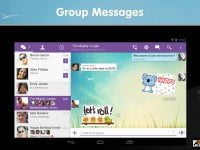
Viber 6.7.0.1285 Mobile & Windows


Requirements Android: 4.0 and higher
Mobile 
Windows
https://www.facebook.com/MovieStoreNgapali/


Monday, January 11, 2016

CROSSOVER LINUX V14.1.6 (MULTILANGUAGE)

CrossOver Linux v14.1.6


Linux ေပၚမွာ Microsoft Window ကို အလြယ္တကူ Install လုပ္ျပီး အသံုးျပဳႏိုင္ဖို႔အတြက္ပါ..

အေသးစိတ္ကို မူရင္း ဝက္ဆိုက္ဒ္မွာေလ့လာႏိုင္ပါတယ္..။။


CrossOver Linux v14.1.6


CrossOver Linux v14.1.6


CrossOver Linux v14.1.6


CrossOver Linux v14.1.6


Not only is CrossOver easy to set-up, our CrossTie technology makes installing your Windows software simple, with one click installation. Effortlessly switch between Linux and Windows programs and play Windows games at native speeds.

Unlike other cross-platform compatibility solutions, CrossOver doesn’t require that you purchase a Windows license ($99) in order to run Windows software on your Linux – and with subscriptions starting as low as $39.95 USD, CrossOver is the most economical choice for running your Windows software on your Linux distro.

Requiring less than 150 Mb of free space (depending on your Linux distro), CrossOver Linux doesn’t have the overhead of a Windows operating system like a virtual machine which means you don’t have to dedicate gigabytes and gigabytes of hard drive space. Allowing you to efficiently run the Windows software you need on Linux with CrossOver.


www.winkabarkyaw.net

WINDOW 10 ကို MAC ဒီဇိုင္းေလးနဲ႔ သံုးခ်င္ရင္ (WINDOWS 10 MAC EDITION 2016


Windows 10 ကို Mac ဒီဇိုင္း Edition ျပဳလုပ္ထားတဲ့ Window 10 Enterprise ပါ... ဒီဇိုင္း ဆန္းဆန္းေလးေတြသံုးတတ္သူေတြ သေဘာက်ၾကမယ္ထင္ပါတယ္... ဖိုင္လ္ဆိုက္ဒ္က  2.59GB  ရွိပါတယ္..


 This edition is based on Windows 10 1511 Enterprise
Pre Activated
Updated December 2015

​My Story:
I decided to make Mac Version cross Anime Edition that's why called Mac-Ani Edition. I've changed the wallpapers to make it look like Anime style. Mac OS X Icon set into Windows 10 Enterprise 64 bit.

ISO Size:

    2.59GB (ESD Format)


Components Removed:

    Tablet PC
    Zip
    Anytime Upgrade
    On Screen Keyboard
    Screen Reader
    Screen Magnifier
    Welcome Center
    Windows Contacts
    Easy Transfer
    Windows Mail
    Control Panel - Pen and Touch
    Control Panel - Tablet PC
    All Keyboards exact English US
    All Languages exact English US
    Modern UI - All Bings
    Modern Ui - Office Hub
    Modern Ui - Zune
    Speech
    Windows Media Center


Tweaks:

    Add Shortcut to my PC Desktop
    Add User Documents Shortcut Desktop
    Add Control Panel Shortcut desktop
    Disable Thumbnails
    Automatic Reboot on BSOD
    Disable User Account Control (UAC)
    Enable large system cache
    Improve disk checkout timeout (5 sec)
    Improve Shutdown Speed
    Improve Windows Shell Response
    Reduce launched delay for desktop startup apps
    Clean backup folder cleanup WinSXS
    Delete Unneeded Editions


Add-Ons:

    Mac OS X Imageres.dll (icons) File
    Change Setup Screen Image
    Change Setup Screen Windows Image
    Change Lockscreen Image
    Change Default Wallpaper
    Changed the Arrows Icons to RED Style
    Change Modern UI Colors and Background


Download Speed ကေတာ့ Free ျဖစ္လို႔ အျပည့္ ေဒါင္းလို႔မရႏိုင္ပါဘူး... ျဖည္းျဖည္းခ်င္းေဒါင္းယူႏိုင္ၾကပါတယ္.. :)


www.winkabarkyaw.net

Saturday, January 9, 2016

VMWARE WORKSTATION PRO 12 FULL VERSION


 VMware Workstation 12 PRO : is the easiest, fastest and most reliable way to evaluate new operating systems, software applications and patches, and reference architectures in an isolated and safe virtualized environment. No other desktop virtualization software offers the performance, reliability, and cutting edge features of Workstation.
VMware Workstation 12 PRO Features :

    Ready for the Latest Hardware.
    Enhanced Connectivity.
    Build Virtual Networks.
    Built for Microsoft Windows 10 and More.
    Display Powerful 3D Graphics.
    Ready for High Resolution Displays.
    Create Powerful Virtual Machines.
    Leverage the Power of vSphere and vCloud Air.
    Take Productivity to the Next Level.
    Awesome User Interface.
    Protect Your Work and Save Time.
    Run Restricted Virtual Machines.
    Expiring Virtual Machines.
    Virtual Machine Cross Compatibility.


Download VMware Pro 12 Setup


 1.) Install VMware Workstation 12 PRO Trial Setup.

2.) After Installation >> It will ask for a License Key To Activate VMware Workstation.

3.) Use License Key Provided Below To Register VMWare Workstation.

 Here is License Key : 
 5A02H-AU243-TZJ49-GTC7K-3C61N


     Enjoy VMware Workstation 12 PRO Full Version.
 www.winkabarkyaw.net

WINTOUSB ENTERPRISE 2.7 FULL VERSION


WinToUSB Enterprise : is a tool which allows you to install and run Windows OS on a USB HDD or USB flash drive, using an ISO image or CD/DVD drive as the source of installation. it is an ultimate tool to create portable Windows 7/8/8.1/10


    1.) Install WinToUSB Enterprise Setup.exe (Free Trial Version)
    2.) Activate it Below Provided Registration Details.
    3.) Restart Program After Inserting Registration Detail.


Download Here WinToUSB Setup


    Email : pirate@piratecity.net
 HLZCLH2K-LRVHWUF3-HF662J4W-3R493VFQ-8K5CK5XW-AMBVCDKA
  

  Email : piratecity.net@piratecity.net
    XCEN2PPR-RNWNFQ3J-YBW24ATS-UJW75MRX-YX9G8HT9-7PA4ZDS4


 ENJOY ! 
www.winkabarkyaw.net

Thursday, January 7, 2016

ဖိုင္ေတြကို Bootable ISO image လုပ္ၿပီး USB Drive ေတြဆီ တိုက္ရိုက္ထည့္ႏိုင္တဲ့ Universal USB Installer 2.0.2.0

 
Universal USB Installer 1.9.6.3

Universal USB Installer ဟာ ဖိုင္အမ်ဳိးမ်ဳိးကို ISO image အျဖစ္ ျမန္ျမန္ဆန္ဆန္ ေျပာင္းလဲေပးႏိုင္တဲ့အျပင္ OS ေတြကို USB External Drive, External Hard Drive, Pen Drive ေတြကို Bootable Device ျဖစ္ေအာင္ ေဆာင္ရြက္ေပးႏိုင္ပါတယ္.. bootable Linux distributions, bootable iso Antivirus, rescue disk အျဖစ္ USB Drive ေတြကို ထည့္သြင္းေပးႏိုင္ၿပီး USB Drive ကတစ္ဆင့္ OS တက္ႏိုင္မွာျဖစ္ပါတယ္.. ဖိုင္ဆိုဒ္က 1 Mb ပဲရွိၿပီး Pen Drive ေတြကေန OS သံုးခ်င္သူေတြ ရယူထားသင့္ပါတယ္..


-
Universal USB Installer is a portable application that is useful to create a bootable USB  into poerangkat stick or External Hard drive. Universal USB Installer can be used to create a bootable Linux distributions, bootable iso Antivirus, rescue disk to install Windows via USB stick. Nearly a wide range of operating systems are supported by the Universal USB Installer is. Its use was very easy and does not burden the system. 

Password :  www.p30day.com

Tuesday, January 5, 2016

WINDOW 10 မွာျဖစ္တတ္တဲ့ WINDOW ERROR အမ်ိဳးေပါင္း (၅၀) ေက်ာ္ကို ေျဖရွင္းေပးႏိုင္တဲ့ FIXWIN FOR WINDOWS 10 [A CLICK]

FixWin 10 for Windows 10
 
 
 Window 10 မွာျဖစ္တတ္တဲ့ Window Error အမ်ိဳး (၅၀) ေက်ာ္ကို အလြယ္တကူ ေျဖရွင္းေပးႏိုင္တဲ့ FixWin for Windows 10 [A Click] ေလးပါ... ဖိုင္လ္ဆိုက္ဒ္ကလည္း 0.09KB ပဲ ရွိတာမို႔ သံုးရတာ အဆင္ေျပေစပါတယ္...

Here is the list of fixes offered by FixWin 10 for Windows 10.

File Explorer
– Recycle Bin icon is missing from Desktop
– WerMgr.exe or WerFault.exe Application Error
– Folder Options is missing from Control Panel or has been disabled by administrator or malware
– Fix Recycle Bin when its icon doesn’t refresh automatically
– Explorer doesn’t start on startup in Windows
– Thumbnails not showing in File Explorer
– Reset Recycle Bin. Recycle Bin is corrupted.
– CD drive or DVD drive isn’t recognised by Windows or other programs
– “Class not registered” error in File Explorer or Internet Explorer
– “Show hidden files, folders and drives” option isn’t shown in Folder Options

Internet & Connectivity
– Right Click Context Menu of Internet Explorer is disabled
– Cannot connect to internet. There’s some problem in Internet Protocol (TCP/IP)
– Problem regarding DNS resolution. Fix it by clearing DNS resolver cache
– Long list of failed and installed updates. Clear Windows Update History
– Problem with Windows Firewall settings. Reset Windows Firewall Configuration
– Reset Internet Explorer To Default Configuration.
– Runtime errors are appearing in Internet Explorer while surfing
– Optimize Internet Explorer maximum connections per server to download more than two files at the same time
– Internet Options are missing in Settings under “Advanced” tab of “Internet Options” dialog box
– Repair Winsock (Reset Catalog)

Windows 10
– Having problem downloading Apps from Store. Clear and reset Store cache
– The Application wasn’t installed from Windows Store. Error Code: 0x8024001e
– Windows Store apps not opening. Re-register all apps
– Reset Settings app. Settings doesn’t launch z
– Disable OneDrive. OneDrive runs in background and syncs huge amount of files.
– Repair corrupt Windows Component Store z
– Start Menu doesn’t work or doesn’t open in Windows 10
– Wi-fi doesn’t work after upgrading to Windows 10
– Windows Updates stuck downloading updates after upgrading

System Tools
– “Task Manager has been disabled by your administrator” or Task Manager Option is disabled
– “Command Prompt has been disabled by your administrator” and can’t run any cmd or batch file
– “Registry Editor has been disabled by your administrator”
– Enable MMC Snap-ins. Some viruses disable Snap-ins which prevents Group Policy (gpedit.msc) and similar services to run
– Reset Windows Search to defaults. This will fix issues related to Windows Search
– “System Restore has been disabled by your administrator. Please contact your system administrator.”
– Device Manager isn’t working properly and not showing any devices.
– Repair Windows Defender. Reset all Windows Defender settings to default.
– Action Center and Windows Security Center don’t recognise installed AntiVirus or Firewall or still identifies old AV as installed.
– Reset Windows Security settings
– Under a seperate Advanced System Information tab, you can seee specifications of your system like number of threads in processor, number of logical processors, maximum display resolution, maximum refresh rate, etc.

Troubleshooters
The following built-in Windows troubleshooters can be launched directly from FixWin:
– Playing Audio
– Recording Audio
– Power
– Printer
– Shared Folders
– Homegroup
– Internet Explorer Performance
– Internet Explorer Safety
– Windows Media Player Settings
– Windows Media Player Library
– Windows Media Player DVD
– Internet Connections
– Hardware and Devices
– Incoming Connections
– System Maintenance
– Network Adapter
– Windows Update
– Search & Indexing
Plus: Links to troubleshooters that fix:
  1. Mail & Calendar apps crashes
  2. Settings app does not launch
  3. Windows 10 Printer troubleshooter
  4. Windows 10 Store apps troubleshooter
Additional fixes:
– Enable Hibernate. Hibernate option is missing from Shutdown options
– Restore the Sticky Notes delete warning dialog box
– Aero Snap, Aero Peek or Aero Shake isn’t working
– Fix Corrupted Desktop Icons. Fix and rebuild corrupted icon cache.
– Taskbar jump list is missing or doesn’t store MRU file list
– Notifications have been disabled
– Windows Script Host access is disabled on this machine
– Office documents do not open after upgrading to Windows 10
– The recovery image cannot be written. Error code – 0x8004230c
– Windows Media Player shows following error: “An internal application error has occurred.”

Hope you find FixWin useful.


www.winkabarkyaw.net

Wednesday, December 23, 2015

WINDOWS 7 မွာTHIS COPY OF WINDOWS IS NOT GENUINE လို႕ေပၚၿပီး DESKTOP SCREEN မဲေနသူမ်ားအတြက္


Windows 7 မွာThis copy of windows is not genuine လို႕ေပၚၿပီး Desktop Screen မဲေနသူမ်ားအတြက္ ဒီ ပိုစ့္ေလးကို ဗဟုသုအေနနဲ႕တင္ေပးလိုက္ရပါတယ္။ Desktop wallpaper ကို ခ်ိန္းလိုက္ေသာ္လည္း စကၠန္႕သံုးဆယ္ ဒါမွမဟုတ္ တစ္မိနစ္အတြင္း အမဲေရာင္ျပန္ျဖစ္သြားတာပါ။ ဒါဟာ ဘာေၾကာင့္လဲ ? ဟုတ္ကဲ့ ကိုယ္တင္တဲ့ Windows 7 က License မမွန္လို႕ျဖစ္တာပါ...။ ေနာက္ၿပီး အဓိက
Screen မဲရတဲ့ အဓိကအေၾကာင္းရင္းက အင္တာနက္ခ်ိတ္ဆက္ထားတဲ့ Windows 7 သံုးကြန္ပ်ဴတာေတြမွာ Windows Update လုပ္ငန္းစဥ္ကို ပိတ္မထားလို႕ျဖစ္ပါတယ္။ ကိုယ္သံုးေနတဲ့ Windows 7 က Copy ... အဲဒါကို အင္တာနက္ခ်ိတ္ၿပီး Windows Update လုပ္လိုက္ေတာ့ Microsoft Server က ေကာ္ပီးမွန္လဲသိေရာ ကန္ခ်လိုက္တာေပါ့ဗ်ာ..License ကို Block လုပ္ပစ္လိုက္တာေပါ့။
Windows 7 Loader ေတြနဲ႕ License Crack သံုးမယ္ဆိုရင္ေတာင္ ကန္ခ်ခံရဖို႕ကေတာ့ ရာႏႈန္းမ်ားေနပါေသးတယ္..ဒါေၾကာင့္ မိမိ Windows7 က တန္ရာတန္ေၾကးနဲ႕ေပး၀ယ္ထားတာမဟုတ္ရင္ေတာ့ လံုး၀ Update မလုပ္လိုက္ပါေလနဲ႕.မဲလတူးျဖစ္သြားပါလိမ့္မယ္ခင္ဗ်ာ..။

  ေနာက္တစ္ခ်က္က ျမန္မာႏိုင္ငံမွာရွိတဲ့ Computer Services Center ေတာ္ေတာ္မ်ားမ်ားက သူတို႕ဆီမယ္ Windows 7 တင္ၿပီဆိုရင္ တင္ေပးလိုက္တာဘဲရွိပါတယ္..ကိုယ္ တင္ေပးလိုက္တဲ့ Windows 7 က လိုင္စင္ပါမပါလဲမၾကည့္ဘူး..ဒီေတာ့ သံုးတဲ့သူက နားမလည္ရင္ ဒုကၡေရာက္ေတာ့တာေပါ့ဗ်ာ..ျမန္မာႏိုင္ငံမွာ ရွိတဲ့ Windows 7 ေတာ္ေတာ္မ်ားမ်ားက Copy နဲ႕Trial Version (30 Days) ေတြက မ်ားပါတယ္..ဒါေၾကာင့္ Windows 7 တင္ၿပီးၿပီဆိုရင္ Windows 7 Loader ေတြနဲ႕ လိုင္စင္ ျဖည့္ကိုျဖည့္ေပးရပါမယ္။ 

အခု Windows Update လုပ္မိလို႕ မဲသြားတဲ့ကြန္ပ်ဴတာ အတြက္ ျပဳျပင္နည္းကို ေျပာျပပါ့မယ္။
(၁) Run Box ကိုေခၚပါမယ္.. ကီးဘုတ္မွာ ရွိတဲ့ Windows Key နဲ႕ R ကိုတြဲႏွိပ္လိုက္ပါ။ Run Box တက္လာပါလိမ့္မယ္။ အဲဒီထဲမယ္ msconfig  ဟုရိုက္ထည့္ၿပီး OK ႏွိပ္ပါ။ System Configuration Box
တက္လာပါလိမ့္မယ္.အဲအထဲမွာမွ  Services ကိုေရြးခ်ယ္လိုက္ပါ။ ပီးတာနဲ႕ ေအာက္ဆံုးအထိ Scroll Bar ေလးကိုဆြဲသြားၿပီး Windows Update နဲ႕ Security Center ကိုအမွန္ျခစ္ျဖဳတ္ေပးလိုက္ပါ။ ပီးရင္ Apply >> OK အဆင့္ဆင့္ထြက္လိုက္ပါ။ Restart ခ်ခိုင္းပါလိမ့္မယ္ မခ်ပါနဲ႕ Exit Without Restart လို႕ေပးလိုက္ပါ။
(၂) WAT Fix.exe ကို Run (Double Click) ႏွိပ္လိုက္ပါ။ WAT Fix Box တက္လာၿပီး သူ႕ဘာသာသူ 1% ကေန 100% အထိ အလုပ္လုပ္ေနပါလိမ့္မယ္.ပီးရင္ သူ႕ဘာသာသူ Computer Restart က်သြားပါလိမ့္မယ္။
(၃) စက္ျပန္တက္လာရင္ WiLoader.exe ကို Double Click ႏွိပ္ပါ။ Install နဲ႕ Uninstall ဆိုၿပီးႏွစ္ခုေပၚလာရင္ Uninstall ကိုအရင္ႏွိပ္ပါ။ Restart ခ်ခိုင္းရင္ ခ်ေပးလိုက္ပါ။ စက္ျပန္တက္လာရင္ WiLoader.exe ကို ထပ္ၿပီး Run လိုက္ပါဦး..Install နဲ႕ Uninstall ေပၚလာရင္ Install လုပ္ပါ..အစိမ္းတန္းေလးတက္တာၿပီးသြားရင္ Restart ခ်ခိုင္းပါလိမ့္မယ္..ခ်ေပးလိုက္ပါ။။ စက္ျပန္တက္လာၿပီဆိုရင္ေတာ့ This Copy of windows is not genuine ဆိုတဲ့ စာတန္းလဲေပ်ာက္သြားပါလိမ့္မယ္..ပီးတာနဲ႕ မိမိစိတ္ၾကိဳက္ BackGround ခ်ိန္းၿပီး ပံုမွန္အသံုးျပဳႏိုင္ၿပီျဖစ္ပါတယ္။

Windows 7 တင္ၿပီးကာစ သူမ်ားအတြက္ လိုင္စင္ ထည့္ရန္အတြက္ကေတာ့ အထပ္ေဖာ္ျပပါ အဆင့္ (၃) အတိုင္း ျပဳလုပ္ေပးပါရန္။
မွတ္ခ်က္ -- This copy of windows is not genuine စာတန္းေပၚေနၿပီဆိုရင္ ေပကပ္ၿပီးေတာ့ ဆက္မသံုးပါနဲ႕..လံုး၀ အမည္းေရာင္ျဖစ္ၿပီး ဘားမွမတက္ေတာ့တဲ့ အျဖစ္မ်ိဳး ေလးငါးခါေလာက္ၾကံဳဖူးခဲ့လိုက္ပါခင္မ်ာ။ၾကိဳက္တဲ့ Link ကေန Windows Loader ကို Down ႏိုင္ပါၿပီ။
 Download Links ====> Ziddu ၊ Mediafire ၊ 2Shared ၊ 4Shared

Sunday, August 9, 2015

USB နဲ ့ Windows တင္းနည္းေလးပါ DVD မလိုေတာ ့ဘူးေပါ့

http://www.easyuefi.com/wintousb/downloads/WinToUSB_Setup.exe

Windows 7 SP1 ROG Rampage E3 x64 for Gamers (2.9 GB)

Windows 7 SP1 ROG Rampage E3 x64 for Gamers

Windows 7 SP1 ROG Rampage E3 x64 | 2.9 GB

Windows 7 ROG Rampage E3 x64 adalah sebuah Sistem Operasi modifikasi dari Windows 7 Professional 64-bit yang dikhusukan untuk gamer. Sesuai dengan namanya, Windows 7 ROG Rampage E3 x64 memiliki tampilan yang cukup menakjubkan. Saya sendiri sudah pernah menggunakan Windows 7 ROG Rampage E3 x64 ini beberapa tahun yang lalu sebelum bermigrasi ke Windows 8.1. Windows 7 ROG Rampage E3 x64 aman, cepat, nyaman digunakan terlebih bagi kalian yang suka bermain game. Windows 7 ROG Rampage E3 x64 ini memang dikhususkan untuk kalian para gamer !
Berikut beberapa fitur dari Windows 7 ROG Rampage E3 x64 :
* Tema spesial ROG.
* Icon Spesial yang sudah diperbaharui.
* Wallpaper spesial ROG.
* Windows Media Center yang sudah dikustom !
* Background media player bisa dirubah.
* Font untuk sistem lebih cantik ( hanya saat menggunakan tema ROG ).

Cara Install Windows 7 SP1 ROG Rampage E3 x64  :

1. Burning ke DVD-R 4.7 GB
2. Mulai installasi seperti biasa.
3. Jika sudah selesai proses installasi, biarkan sejenak, karena Windows 7 SP1 ROG Rampage akan menginstall beberapa driver serta aplikasi tambahan ( kurang lebih 10 menit ), jika sudah nanti akan disuruh restart dengan sendirinya.
Note :
- Windows 7 ROG Rampage E3 x64 hanya tersedia versi 64-bit dan tidak ada versi Windows 7 ROG Rampage E3 x64 untuk 32-bit !

- Install harus dengan menggunakan DVD / USB FD 4 GB, jangan langsung lewat setupnya, karena pasti tidak bisa! 

- Windows 7 ROG Rampage E3 x64 belum diaktivasi ( bukan bajakan karena hanya di modif tweak serta tampilan ), gunakan serial Windows 7 Pro untuk mengaktivasinya.
- Jika selesai installasi desktop kalian berwarna agak kekuningan, itu karena terdapat aplikas bernama .Flux, kalian uninstall saja aplikasi tersebut.
- Link sudah diperbaharui Tanggal 20 Februari 2015 :) 

SCREENSHOOTS

Windows 7 SP1 ROG Rampage E3 x64

Windows 7 SP1 ROG Rampage E3 x64

Windows 7 SP1 ROG Rampage E3 x64

Windows 7 SP1 ROG Rampage E3 x64

https://usersfiles.com/bfpk65n56aca

                                                                            Other Links
http://uptobox.com/1vz3zyqoifnx
                                                 PASSWORD : www.software182.com