![[IMG]](https://78.media.tumblr.com/d5a502bfc2544b1b0c3f1625ef10c913/tumblr_mv4zqcNwFj1s1va72o1_400.gif)

ဖုန္းမွာေဒါင္းျခင္တာအျမန္ ေဒါင္းႏိုင္တဲ့ - Advanced Download Manager Pro v5.0.7 Apk ေလးပါ ဖုန္းေဒါင္းလုတ္ေဆာ့၀ဲေကာင္းေလးပါဗ်ာ ေဘာ္ဒါေတြသိတဲ့ အတိုင္း ADM downloader Apk ေလးက တျခားေဒါင္းလုတ္ေဆာ့၀ဲေတြနဲ႔မတူဘဲ ေဒါင္းေနရင္းလိုင္းက်သြားလည္း လိုင္းျပန္တက္ရင္ ျပန္ေဒါင္းေပး တဲ့ေဒါင္းလုတ္ေဆာ့၀ျေကာင္းေလးပါဗ်ာ ေအာက္မွာေဒါင္းႏိုင္ပါၿပီ (ပုသိမ္နည္းပညာ)
Advanced Download Manager Pro v5.0.7 Apk | 2 MB | Resumable Links |Requires : Android 2.1 and up |
Download files simultaneously!
Advanced Download Manager Pro
What’s in this version :- Added Floating Action Button (Settings – Interface)
- Updated left menu, icons and dialogs.
- Material Design for Settings.
- The toolbar hides when you scroll through the list of downloads.
- On KitKat the status bar is painted in the color of the toolbar.
- Improved detection of outdated links.
- If update does not work correctly – Clear data and cache.
App Review:
Features:
- download up to three files simultaneously;
- accelerated download by using multithreading (9 parts)
- interception of links from the browser and clipboard;
- icon of the program and downloading progress in the notification panel;
- backup list of downloads and settings on SD card;
- completion notification by sound and vibration;
- resume after reconnection or program restart;
- save different file types in different folders;
- built-in browser for sites with registration;
- plan files download on a schedule;
- widget on your home screen;
- site manager.
Add links from browser:
- press on link and from the window “Complete action using” select ADM (supported by Stock Browser, Dolphin, Boat Browser, Chrome)
- long press on a link to display the context menu, press “Share link” and from the window “Share via” select ADM (supported by Firefox, Skyfire, Stock Browser, Dolphin, Boat Browser)
- copy the link and the service will intercept the link (supported by Maxthon)
Controls:
- press on the download to start/stop the process;
- press on the completed download to open the file;
- long press on download to display the context menu.
YouTube is not supported under the rules of Google.
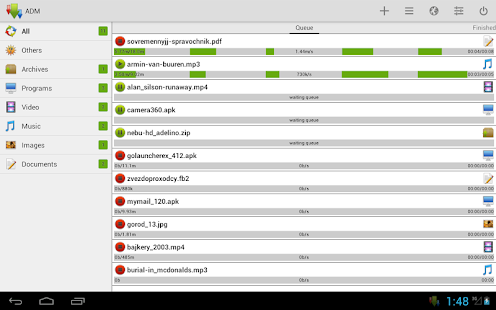
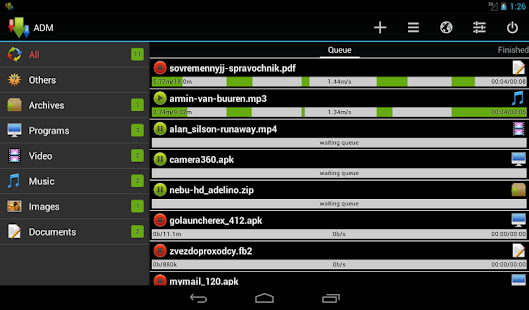
 www.patheinit.com
No comments:
Post a Comment